How to Write a Module for OXID eShop: Round the Price on Product Details Page to a Fiver

Monday, June 10, 2013 Posted by

For my next tutorial about writing modules for OXID eShop I chose a very simple example. The aim is to round up the display of the price on the product details page to the next five cent (or any other currency of your choice). This is because there are countries where it doesn’t make sense to display prices like 7.99 EUR because the value doesn’t even impact on your money bag and the tax authorities deal with it in a gentler way.

The idea for this module was born in OXID forums, my mate @vanilla-thunder helped me to get it running :-)

Let’s have a look at the code now.  First we have to find the getter for the value of the price. A good starting point for searching for it is the OXID eShop source code documentation. Move into the OXID eShop version you are using and search for getPrice here to find the getPrice() method in the oxArticle function. Hint: getPrice() will return all prices, no matter whether you use prices including or without tax, so it’s brilliant for our purpose.

Move to /core/oxarticle.php now and find the method definition that we want to overwrite on line 178:

getPrice() method

Click to zoom

Next: copy the entire method and paste it into a new file which we call mst_oxprice_ch_highfive.php in our example. Place this file into /modules/mst/ch_highfive/core/.

Make the necessary changes to this file, i.e.: add <?php at the beginning, followed by the mandatory statement class mst_ch_highfive extends mst_ch_highfive_parent to make the module work. Then replace the value to your own calculations and you’re almost done. The content of the file should look like this now:

content of ch_highfive

Click to zoom


The only thing left is to add the metadata for your module and for your vendor information, maybe an additional icon for it. I described this in more detail in my former blog post “How to Write a Module for OXID eShop: Display “You will save x %” on the Product Details Page“.

I put this ready-to-use extension under the open source license GPLv3 on GitHub again. Please feel free to contribute any additions or changes if needed:
https://github.com/kermie/ch_highfive/

How to Write a Module for OXID eShop: Display “You will save x %” on the Product Details Page

Monday, June 3, 2013 Posted by

Upfront: although I probably have a good technical understanding I am not a software developer. So it’s a pleasure to thank my mates @tabsl, @vanilla_thunder, @jkrug @l3k, @stasiukaitis-saulius and especially @DSB for the patient, almost friendly help while writing this OXID eShop module sample, and letting me understand what each line of code does. My thanks also goes to my mate @stew who usually corrects my English :-)

This example is based on the German blog post “Ersparnisanzeige Artikelpreis und UVP”, and I thought it was a brilliant idea to write a more comprehensive tutorial in a workshop style, showing how to develop a rather simple functional extension for OXID eShop version 4.7 and 5.0 in English. Also, some tutorials about this topic we’ve already had, became a bit dated in the meantime as the module system in OXID eShop is about to be consistently improved.

Alright, let’s start getting some practice in :-)

Create your vendor directory
First off, go to your OXID eShop installation, find the folder /modules/ and add another folder with your initials inside, in my case I used /mst/ (for Marco Steinhäuser). Of course you can also use your company name or something else – just try to be unique in the OXID sphere. From now on, you can place all of your self-made modules into this folder.

Meta data for your modules
Inside this folder, generate the file vendormetadata.php. As it is not used yet (but will be in one of the next OXID eShop versions) you can leave it empty for now.

Besides this file, inside your vendor folder, create a directory with the name of your extension (I chose /mysaving/ in my example) and move it into it. Please note that the folder name must be the same as your module’s ID.

Optionally generate a thumbnail image that describes your module visually and upload it into the module’s root folder; you may name it thumb.png. Take care, you already resized this thumbnail into the right size – it will be shown in the administration panel of your module’s users.

Let’s generate a metadata.php file now and insert some basic information. Please note that there has to be some mandatory variables like id (must be the same like the module’s folder name we generated before), title and extend so the program knows which class you want to extend and where to find your own code. But of course, you can also have other variables inside the array of this plain PHP file.

writing OXID modules saving metadata.php

Click to zoom


On this Wiki page you’ll find all information about the meta data file and the variables that you can use:
http://wiki.oxidforge.org/Features/Extension_metadata_file

Implementing the program logic (functionality)
Depending on the method or class you want to overwrite, build the directory tree for your module following the conventions of the shop itself. In my example I want to overload the class oxarticle (which can be found in /application/controllers/ in the shop directory) by my own class mst_mysaving_oxarticle. That’s why I generated the file mst_mysaving_oxarticle.php in /modules/mst/mysaving/application/controllers/, BTW: it is recommended and best practice to use a naming convention like yournameabbreviation_yourclassname_originalclassname for trace-ability.

The rest is a bit of programming magic. I presume you’re familiar with writing object oriented PHP code and I will not explain every single step here. Anyways, I left some comments and hints in the code that may give you some orientation.

Writing OXID modules saving functionality

Click to zoom


Working with blocks for the output
Alright, the functionality part is done, let’s now move to the output. Our aim is to influence the view of your template from inside the module structure, without needing to touch the template itself. Hence, you can deliver your module, including the functionality plus the display part completely encapsulated. Hooray updatability!

The template we want to alter is located in /application/views/azure/tpl/page/details/inc/ and is named productmain.tpl. Now try to find a predefined block close to where you want to place your output. In our example this block is named details_productmain_tprice. (Hint: if you cannot determine an appropriate block close to the place where you want to have your information displayed, please simply define a new block in your installation and send us a pull request on GitHub so we can implement it into the standard.) I now defined a new file details_productmain_tprice.tpl in /application/views/blocks/.
All of the information mentioned in the chapter above I had to declare in an array in the variable ‘blocks’ in metadata.php.

Again, I presume you are familiar with the Smarty template engine and left some (hopefully helpful) comments in the file:

Writing OXID modules saving block

Click to zoom


Embedding your own CSS
Often it is useful to encapsulate your own CSS or even JavaScript in your module. As you can see from the example above, I placed the mysaving.css (for my very own font and a yellow background colour) into the folder /out/azure/src/css/.

Making your module multilingual
You probably already saw how to display multilingual descriptions of your module in the admin panel via meta data variables for your module.

But in the module itself – in case it is created for international use – you can set language keys in the block file like shown above. The single language key in my example is MST_MYSAVING_PERCENTSAVED and can be defined in the /translations/ folder of your module root. Please use folder names for the translations of your choosing according to the locales you defined in your OXID eShop. In my example, I translated into English (en), German (de) and Russian (ru).

The language file itself must be named something like *lang.php. So if you have to split your language files, it shall not be a problem for the shop magic to assemble these files into an array and display it properly.

Have a look at the content of these language files now. In the Smarty block template, we already assigned the $saving variable as an argument. This argument can be placed into the language files as %s. This is important as you can have a different word order in different translations. For example, Master Yoda would express himself like “You 24% have saved – harrharr”. In this case simply replace the “24” by the %s argument.

If you’d place the percent sign directly, unfortunately nothing would be displayed. This is why the program expects an argument (like %s) here. Try the entity &#37; instead to get the percent sign to show up properly.

Install your module in OXID eShop
Of course you will know how it works already but for the sake of completeness:

  1. Copy the /mst/ folder including all sub folders into the /modules/ directory of your OXID eShop. Please preserve the given directory structure.
  2. Go to your admin panel -> Extensions -> Modules. You shall see the name of your module in the list. If not, you might have a problem with the rights on your server – set the appropriate rights according to your operating system so the web server at least can read your module directory and the metadata.php.
  3. Check the thumbnail picture, your description and title given etc. Make the necessary changes to your metadata.php if needed. If you’re okay, activate your module.
  4. In the store front, check if your module works like expected.
Writing OXID eShop modules saving frontend

Click to zoom


Looks alright, doesn’t it? By the way, you can download and contribute to this extension example by forking this working module from:
https://github.com/kermie/mysaving

Here are some additional hints to avoid common pitfalls:

  • Clear your /tmp/ folder (Smarty cache) after every template change.
  • You probably have to install and uninstall your own module more than once. Please make sure you confirm that previous entries shall be deleted from the database or use https://github.com/OXIDprojects/vt-devutils for cleaning up the database entries.
  • If you need help with your module, please refer to the forums.
  • If you want to publish your module under an open source license, upload it to your GitHub account and let know about it so we can fork it to https://github.com/OXIDprojects. This, might attract other users to help with the maintenance of your module.
  • If you chose a commercial license and/or have the feeling that many people would be interested in your functional extension, publish it on OXID eXchange.

That’s it for today. I’ll probably publish some more tutorials/workshops about basic module writing soon(ish), stay tuned! I’d appreciate if you left a comment whether you like it or not, what to improve, which information is missing, which is too much etc.

Romanization and Transliteration of Special Characters in the URL – the Right Way to go for International SEO?

Monday, May 6, 2013 Posted by

Let me say this upfront: I am neither a specialist in linguistics nor in international SEO (search engine optimization). But there’s one thing that has been keeping my brain busy for some time: what is the right method of rewriting a URL if you want to stand amongst a foreign market, on maybe alternative search engines, that uses different characters than simple Latin?

You might know that I am working as a Community Guide for OXID eSales, dealing very close to the product management of OXID eShop, and we feel completely responsible in a SEO-optimized shopping cart platform delivery, not only to the domestic (German) market but beyond.

In OXID eShop, we use transliteration lists for several languages: for example, the German special character “ü” becomes an “ue” in the URL. As far as I know, this works really well, the search for a word with a “ü” on Google would lead you to the transliterated version. If you don’t use any transliteration list in OXID eShop, this character will simply be left out in the URL and for example becomes “Grtel” (blt) in your URL instead of “Guertel” (belt) as it should.

The same goes for some Slavic languages, where they use a “Š” for the voiced “Z”. This could be transliterated to a “sh” in the URL but will search engine users still find “shunka” (Czech for bacon)?

It gets even more complicated when having a look at non-romanized writings like in Russian, where Cyrillic letters are used. Looking up “агрегат бензина” (gas-driven power supply) will lead you to totally different search results on Google then in it’s transliteration “agregat benzina”.

Now that we know that Google is not the true north of the world, I recognized that a search result for “агрегат бензина” could be totally different when related to yandex.ru, in all probability the most-used search engine in the eastern (from us) world, isn’t it.

Also, when searching on Google for the cyrillic version, Wikipedia comes up on the first page with a hybrid, but looks really down and dirty when sharing this link:
http://ru.wikipedia.org/wiki/%D0%90%D0%91_(%D1%8D%D0%BB%D0%B5%D0%BA%D1%82%D1%80%D0%BE%D0%B0%D0%B3%D1%80%D0%B5%D0%B3%D0%B0%D1%82%D1%8B)

Now what is better, use Cyrillic or Latin transliterations for a search? And how do we design the rewritten URLs in a standard software like OXID eShop?

Merry Christmas and a Happy New Year 2013!

Friday, December 21, 2012 Posted by

Dear friends,

actually I wanted to manually send signed Christmas cards to the most distinguished community members and friends. But they took a very long way from our headquarters in Freiburg to the office in Halle and only arrived yesterday. Not enough time left to give them the time to arrive punctually, especially thinking of foreign addressees.

So here they are:

Merry Christmas and a Happy New Year 2013 from OXID

Merry Christmas and a Happy New Year 2013 from OXID

Merry Christmas and a Happy New Year!

Have a nice and relaxing holiday season after this very hectic Christmas trade. A lot of really fascinating things happened in 2012 in the community, just thinking of the OXID user group NRW. May 2013 will be as successful as 2012 was and even more so.

Connecting a HP Deskjet 3050A J611 to a DD-WRT Router when using Ubuntu

Saturday, November 3, 2012 Posted by

Today, we bought a new all-in-one device for home use, a HP Deskjet 3050A J611 series, that was told to be capable for WiFi connections. The delivered software on a CD is available for Windows and Mac OS machines only. Now I run Ubuntu which shall not be a problem as all HP devices are supported by default on this operating system.

And right: I got it working very simply. Connect the USB cable and the driver will be installed even without a click, just use it.

Connecting the printer to your router brings up some more problems. Usually, if you have network-compatible hardware, you can adjust at least a network configuration on it. Not so on the printer we bought: by default, it uses WPS, the so called “Wireless Protection Setup” where you have to enter a PIN to your router. Of course, it doesn’t work if your router software doesn’t support WPS for a good reason: WPS was cracked via brute force attacks a while ago, just wondering why hardware with this software flaw is still delivered by HP…

Anyway, I found a workaround:

I couldn’t bring up running the HP software setup via wine what actually was a good thing: HP doesn’t only bring the drivers but also a lot of bloatware with it onto your machine.

So I fired up my (for emergency cases) still existing Windows installation and went to the entire setup process of the all-in-one device “drivers”. Interestingly, the setup routine asked me if I wanted to use the device via my WiFi network and I agreed. (Sorry that the Windows screen shots are in German.)

Windows installer asks for WiFi configuration

During the next steps, the WiFi configuration was read out and wrote to the device configuration (WTF?). But from this point on, the new device was connected to my home WiFi and got a proper IP address.

drivers are properly installed

Once you finished the installation successfully you can completely delete the HP software from your machine. Start over to Ubuntu again and install a network printer with the given IP address that you can find even on the display of your all-in-one device now.

install the network printer on ubuntu

Printing with CUPS via WiFi works smooth for all Ubuntu machines now. Alone I couldn’t get running the scanner via WiFi but actually I can live with that ;)

Display a Diff as a Webpage using diff2html

Wednesday, September 26, 2012 Posted by

Sometimes, especially for documentation purposes, it might be necessary to show a unified diff as a HTML page.

As we will ditch Basic theme in OXID eShop version 4.7/5.0, we had to document how to convert a customized theme based on Basic if you want to update. Included, we wanted to deliver a visual diff of the categorylist.tpl file to show how the category tree was loaded before and how it will be loaded from the new version on.

I found out that neither my IDE nor any other diff tools I knew could export directly to HTML. After a while of searching I found this great bash script: diff2html

Unpack it and you will find just one single file. On Linux, it is pretty easy to use:

~$ ./diff2html file1.txt file2.txt > differences.html

There are several options as well as an own style sheet that can be used (open this file and have a look at it). But even the default results are looking absolutely suitable.

Like We Nearly Entered the Baltic Fleet

Wednesday, August 22, 2012 Posted by

We are back from holiday.

We camped in the beautiful seaside regions of Croatia, like we did in the last year. Awesome, if you just want to have wonderful summer weather, warm water without any sharks, a camp site in ample shade, and a scenic landscape around you. Not in a camper as you might assume but just in our old family wagon and a tent.

One morning Theo and I pumped up the rubber dinghy borrowed by my friend and formerly stowed it in front of the right back seat of our Volkswagen. Mommy was still asleep so we decided to take the rubber boat to the next pier and we pumped up the rest over there, in salty water. I told Theo to hold the position while I was bringing back the pump to the camping site. I woke up Anna saying “Baby – sorry but we got into our heads to conquer the Baltic fleet and to enter the Spanish armada.” Dozily turning around she answered: “You guys bring back some gold and jewelry, alright?”. “Sure” I smirked.

Coming back to the pier, I saw Theo with a red head rowing in the wrong direction. “What are you doing mate?” I shouted. “It doesn’t work, Daddy” – he shouted back. “No probs”, I said and stumbled into the water over the stony beach.

Five minutes later we where 50 meters away from the shore: me rowing in a very small rubber boat, Theo hanging over the rear end, paddling with the fins on his feet. And talking about everything: “Daddy, why did the Dinosaurs die out?”, “What happened during your time in the armed forces?”, “What is going on with the financial crisis nowadays?” etc…

In the next few minutes we found ourselves drifting away from our island. Becoming aware of it I said “Son, it’s a good opportunity to head back to the bay we came from, ditch the idea about taking over Armadas”. Alone, we didn’t come a yard forwards, swimming and rowing against the stream and the sudden upcoming wind.

Somebody else in a Zodiac, obviously saw our misery. He threw us a rope that I immediately knotted to the bails of our rubber boat. But as soon he gathered ways, I felt that the rubber bails will not withstand the speed of the Zodiac. So I pressed my feet to the front of our rubber boat and took the rope into my hands.

He gathered more and more speed and at some point I was hurled out of the rubber ship swallowing lots of salt water and hearing Theo laughing behind me. My sun glasses were still on my head at this point.

But not any longer when the Zodiac skipper turned his boat around to pick up Theo, our dinghy and me into his custody…

No matter – we survived thanks to the German Zodiac skipper, didn’t enter any Baltic fleet nor the Spanish Armada – but luckily came back and we were really, really exhausted ;)

I’ll be on Holiday for the Next Three Weeks

Tuesday, July 24, 2012 Posted by

Just in case you miss me in the OXID forums and other virtual places: I’ll be on holiday from tomorrow until mid of August, back to business then.

I will not read my emails, I will not be available via mobile phone and I will have no Internet connection for three weeks. Oh – and sorry: I intentionally didn’t switch on the automatic out-of-office reply as I am registered at many mailing lists etc. All daily tasks have gratefully been taken over by reliable colleagues and community members.

See you in a while ;)

Recap of the OXID Developer Meet-Up on January 13 2012 in Hamburg

Monday, January 23, 2012 Posted by

The 2012 season for OXID developer meet-ups started in Hamburg on January 13. Sigmar Kress from Rhinos Media organized the location and we set up a page on OXIDforge for gathering information about participants and ideas for talks.

Although we announced the event relatively late, more than twenty people came to the meet-up. I was glad to see partners and shop owners sending their developers and project leaders to the event.

As previously announced, Joscha started talking about his TOXID project and how it can be used to integrate Typo3 content with OXID eShop (and vice-versa). We also discussed integration with other content management systems like WordPress and Joomla using TOXID. If you’ve been using TOXID for this purpose, please feel free to share your insights, or write a tutorial about it, on OXIDforge.

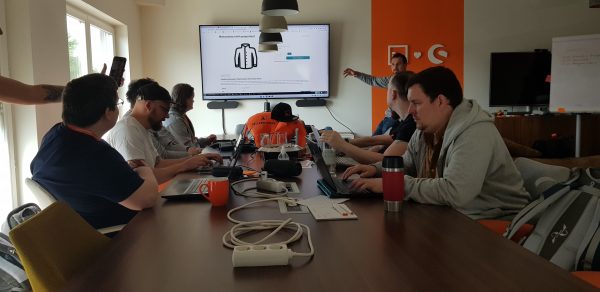
OXID Developer Meet-Up Hamburg 2012-01-13

Later in the evening, I spent some time talking about OXID’s development plans for 2012, including OXID eShop 4.6.0 beta, and we had an interesting and spirited discussion about this.

Another big topic also came up: the idea of developing another admin panel with the community, which was first born at the OXID Unconference in May 2011. Now, in Hamburg, almost everybody who was interested in this venture was in attendance, and so we agreed on a kick-off meeting and coding event between March 9-10. If you are interested in supporting this project and have some spare capacity, please contact me.

The bottom line: we held a very successful and informative developer meet-up again. If you would like to see a similar meet-up in your location, please talk to me about the date first. The rest is pretty simple: just reserve a table for enough people and help to spread the word.

Christ Jewelers’ Brilliant Mobile Marketing Campaign for Christmas

Thursday, December 29, 2011 Posted by

Christ QR codeA few days ago, I was attracted by a billboard advertisment at a tram station near my home. The poster is apparently part of a mobile marketing campaign by Christ Jewelers (German), one of the leading jewellery and watchmaker chains with stores in all of Germany’s big cities. Taking a closer look at the poster I found a QR code on it without any description and, as a curious person, I checked it out.

QR codes are a fantastic instrument in mobile product marketing… when they’re used wisely. What I found here, is a good example of an ill-conceived mobile campaign and a squandering of marketing euros.

First, you’ll be led to this URI: http://qr.christ.de/link/80ef6382f46050a15734b17f943cf4d. The trailing code eventually analyses which poster you have scanned… fair enough. After that, on your mobile device, you’ll be redirected to a landing page: http://landingpages-christ.de/jette_pure_passion/. This redirection didn’t work on a regular browser on my PC, it seems it’s only intended for mobile marketing :-)

Although I doubt that landing pages, from an SEO point of view, are still of real value, this particular landing page is even less useful than others, because it doesn’t provide any meta or text information for search engines except of the URI. As a result, you won’t find it in any top-level position in a search engine even if you search for “jette pure passion”.

A boring embedded movie awaits you here, showing pieces of jewellery lying and hanging in a wood. The background music fits any 1970s film, and the movie itself cannot be skipped.

After a long wait (over 1:40 on 3G maximum speed – and remember, you are still at the tram station or in the tram already), you are allowed to enter Christ’s online store via the button “ZUM ONLINE SHOP” (even the font doesn’t fit well here and the letters are consequently cut off). Going further, you will realize that the storefront is not optimized for mobile devices. You will see the same user interface that you would access with your regular PC browser at http://www.christ.de… although with your mobile device, you sadly cannot even navigate through the flyout categories.

To be honest, I cannot even imagine how this epic marketing failure could have happened to a big player like Christ with an ocean of employees (of which at least some must be using mobile devices) and a large marketing budget. Christ should be able to afford a professional mobile marketing campaign without any of the problems I described above.

What do you think? Why do you think this mobile marketing campaign could have ended up so miserably? I’m interested in your opinion, so write in and let me know!